Stereoscopic filming with two cameras requires more than starting two recordings at roughly the same time. Each camera records an image intended for a different eye, so the pair should not only show the same scene but also correspond to the same moment. This becomes particularly important when there is movement in the frame.
In practice, it is easy to confuse three separate layers of rig preparation: time stamping with timecode, synchronizing the phase of video signals via genlock, and ensuring matching configurations on both cameras. Official RED and Sony procedures show that these mechanisms work together but are not interchangeable. Timecode alone is no substitute for sensor synchronization.
Why Two Cameras Must Operate as One System
In a conventional multicamera production, a small timing difference can sometimes be corrected during editing by shifting the footage on the timeline. In stereoscopic filming, the problem is more complex: frames from the left and right cameras are viewed simultaneously as a single stereo pair. If they come from different moments, a moving object may appear in a different position in each frame.
Practical conclusion: a matching frame number or identical time indication does not yet prove that both sensors began their exposures in the same phase. Timecode helps determine which portions of the footage belong together. Genlock, on the other hand, synchronizes the video signals against a common reference.
This distinction is fundamental to designing a rig correctly. First, determine whether the cameras in use actually support external video synchronization. If they do, it must be configured according to the procedure for the relevant system rather than assuming that identical timecode solves the entire problem.
Timecode and Genlock Perform Different Tasks
Timecode: Identifying a Point in Time
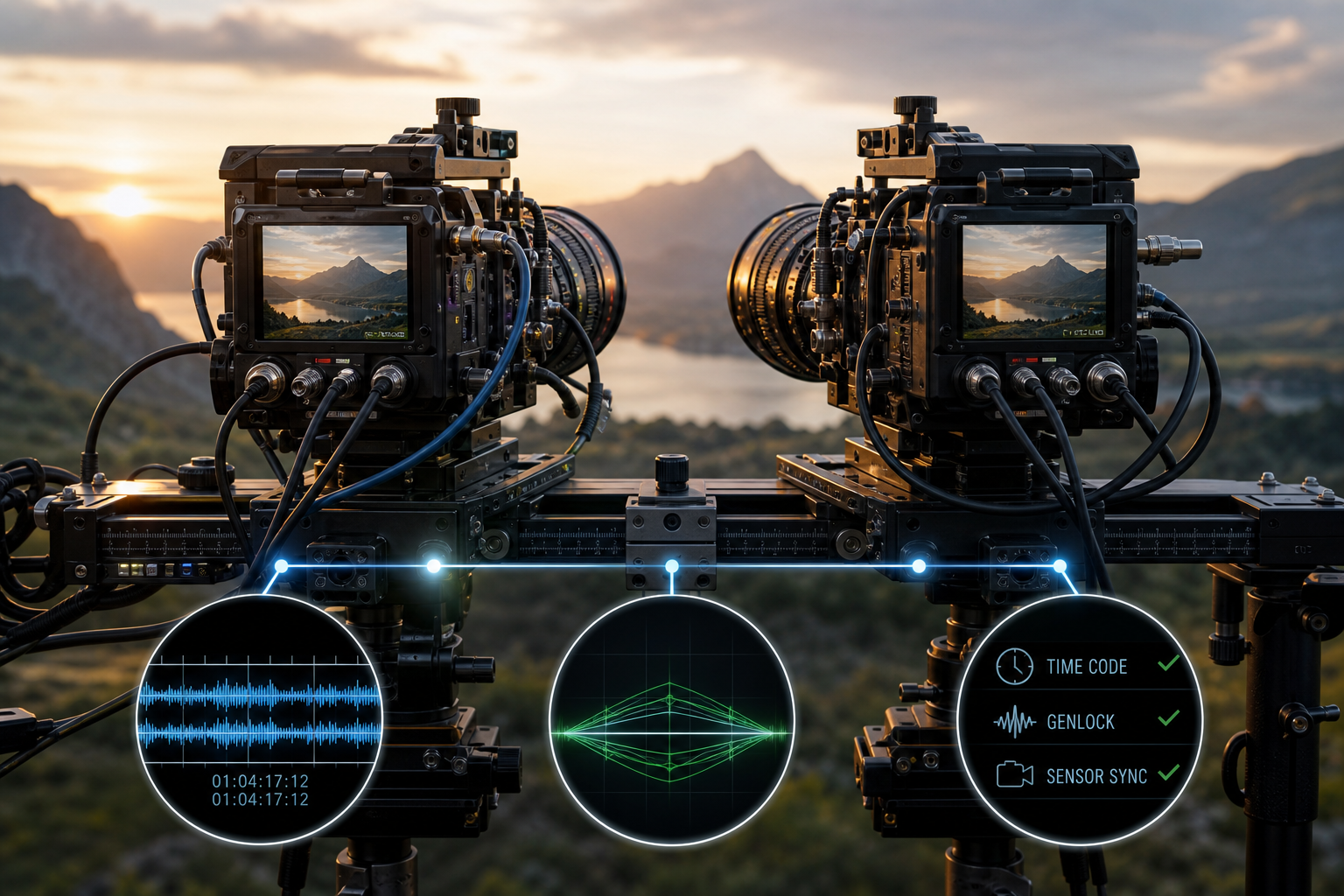
Timecode can be regarded as a system for labeling footage. It makes it easier to align recordings from two devices and locate corresponding sections. The Sony manual provides for feeding an external reference timecode signal into the camera’s TC input.
This is an important part of organizing the recording, but it does not confirm that the video signals are in phase. Two cameras may use a common time reference and still require a separate signal to synchronize their images.
Genlock: A Common Reference for the Image
Genlock is used to externally synchronize the phase of video signals. In the configuration described by Sony, the reference video signal is fed into the GENLOCK input, while reference timecode is supplied separately to the TC input. The very fact that there are two separate inputs demonstrates that these are two independent tasks.
In RED’s procedure for a Stereo/3D pair, the state referred to as Sensor Sync is important. The manufacturer requires both cameras to achieve sensor synchronization via genlock before the master/slave configuration is set up. This sequence matters: assigning roles to the devices does not replace synchronizing their images beforehand.
In short: timecode answers the question “which portions of the footage belong together?”, while genlock answers “are the video signals operating against the same reference?”.
The Third Layer: Matching Camera Configurations
Even a correctly distributed reference signal is not enough if the two cameras are operating with incompatible configurations. According to the RED manual, correct genlock operation in a 3D configuration requires the same firmware version, identical project time base and identical recording frame rate.
Diagnostics should therefore not begin with cables and connections while overlooking system settings. A difference in software version or timing parameters may prevent the expected synchronization state from being achieved. The safest approach is to treat matching settings as a separate inspection stage performed before configuring master/slave operation.
Fact confirmed by the RED manual: the listed parameters must match for genlock to operate correctly. Production conclusion: it is worth preparing a checklist and comparing both cameras after every configuration change rather than relying on the operator’s memory.
Practical Workflow for Preparing a Stereo Pair
Menu details, connector names and available messages depend on the system being used. Based on manufacturers’ procedures, however, a general workflow can be established that separates configuration, image synchronization and media organization.
- Check the capabilities of both cameras. Determine whether the devices support a genlock input, external timecode and operation intended for multicamera or stereoscopic configurations. Do not assume that timecode support automatically means the sensors can be synchronized.
- Standardize the system configuration. In the RED system, you must verify that the firmware version, project time base and recording frame rate are the same. This must be checked separately on both camera bodies.
- Supply a common reference video signal. In the solution described by Sony, the GENLOCK input is used for this purpose. This is a separate connection from the timecode reference.
- Supply reference timecode. In the Sony configuration, it is fed into the TC input. Its role is to provide consistent time labeling for the footage, not to replace genlock.
- Confirm the image synchronization state. The RED procedure requires both cameras to achieve the genlock Sensor Sync state before proceeding to configure the master/slave relationship.
- Configure the master and slave roles. The RED manual describes the Stereo/3D configuration as a two-camera arrangement operating in these roles. This stage should be performed only after the preceding conditions have been met.
- Check the system again before the shot. The fact that synchronization was achieved earlier does not mean that it remains active after every settings change.
Why Synchronization Must Be Monitored Continuously
According to the Sony manual, changing the system frequency releases external synchronization. Starting certain special recording modes may have the same effect. This means that a rig correctly synchronized in the morning may not remain synchronized after being reconfigured later.
This is particularly important during shoots where operators change settings between takes. After changing the system frequency or enabling a special recording mode, it is not enough to check whether the cameras still display similar timecode. The external image synchronization state must be verified again.
A good practice is to treat every significant configuration change as an event requiring the abbreviated checklist to be repeated:
- do the timing settings of both cameras still match,
- is the reference signal reaching both devices,
- do both cameras confirm synchronization,
- do the master/slave roles remain configured,
- does timecode still provide consistent labeling of the footage.
The above list is an organizational recommendation based on the behavior described by the manufacturers. The specific indicators and procedures for confirming the state should be obtained from the manual for the model being used.
Common Misconceptions About Synchronization
“The Timecode Is the Same, So the Frames Are Synchronized”
This conclusion goes too far. Matching timecode helps align recordings, but Sony provides for separate timecode reference and genlock connections. In stereoscopy, both layers must be monitored.
“Setting Master/Slave Automatically Synchronizes the Sensors”
The RED procedure specifies the opposite sequence: first, both cameras should achieve the genlock Sensor Sync state, and only then should the master/slave relationship be configured. Camera roles are part of the overall system, not a substitute for the reference signal.
“Once Achieved, Synchronization Remains Active”
This cannot be assumed. Sony states that changing the system frequency and starting certain special recording modes release external synchronization. It must be checked again after such operations.
“It Is Enough to Set the Same Frame Rate”
A matching recording frame rate is one of the requirements listed by RED, but it appears alongside an identical project time base, the same firmware version and the correct genlock state. A single matching menu item does not confirm that the entire configuration is correct.
Checks Before Every Important Shot
In stereoscopic production, it is worth separating equipment checks from media checks. The first concerns the current state of the cameras: timing parameters, the genlock signal, Sensor Sync and the master/slave configuration. The second concerns whether the files from both cameras have consistent labels and can be paired unambiguously.
This approach reduces the risk of matching timecode being mistakenly regarded as proof of simultaneous exposure. It also facilitates diagnostics: when a problem occurs, the crew can check the video reference, time reference and configuration of both devices separately.
Not all two-camera setups offer the functions described in the RED and Sony manuals. The presented workflow should therefore not be regarded as a universal sequence of button presses, but as a working model: first ensure that the devices match, then provide a common video reference, handle timecode separately, confirm synchronization, and only then configure the relationship between the cameras.
Summary
A professional stereoscopic rig should not rely solely on starting the recordings simultaneously or on similar timecode indications. Timecode organizes and identifies footage, while genlock synchronizes the phase of the video signals. In the RED system, there are also requirements for matching firmware versions, project time bases and frame rates, as well as the need to achieve Sensor Sync before setting up master/slave operation.
Checks after changes are equally important. Since the system frequency and certain special recording modes can release external synchronization, its state should be checked again before the next shot. In stereoscopy, correct synchronization is not a one-time configuration stage but a procedure that requires deliberate monitoring throughout the shooting day.